
Add Row
Add Element
HOME SERVICE HUB
Add Element
  • Home
  • Categories
    • Smart Home Solutions
    • Gardening
    • Landscaping
    • Home Exterior
    • Outdoor Living
    • Smart Homes
    • Lawncare
    • Lighting Solutions
    • Plumbing Tips
  • Featured Business Profiles
March 20.2025
3 Minutes Read

Smart Home Mistakes You Need to Fix Now for Ultimate Security and Efficiency

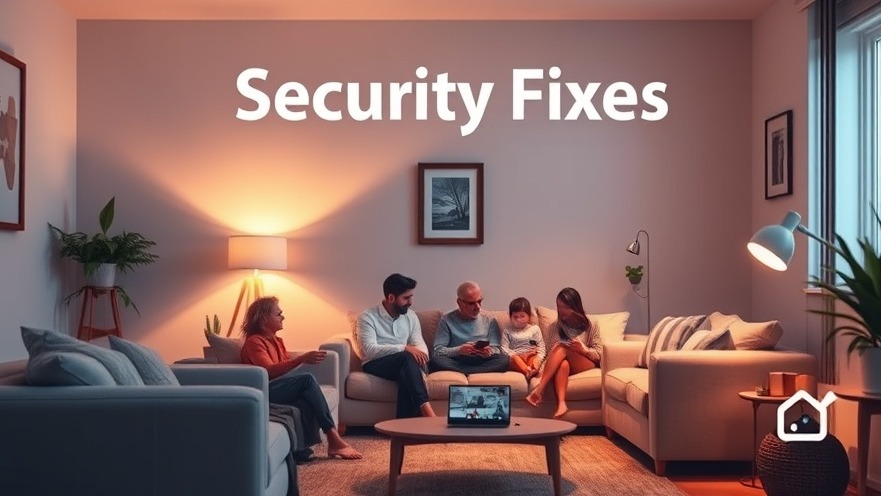
Cozy family living room showcasing smart home security devices in warm light.


The Smart Home Journey: Understanding Common Missteps

Smart home technology has surged in popularity, transforming our living spaces into high-tech sanctuaries. However, as thrilling as it is to integrate smart devices into daily life, many homeowners find themselves grappling with common mistakes that can lead to security vulnerabilities, efficiency hiccups, and overall dissatisfaction. This article will take a deep dive into the frequent misalignments faced when adopting smart home technology and provide actionable solutions to enhance your home experience.

Crucial Security Oversights for Smart Devices

One of the most alarming mistakes homeowners make is underestimating smart home security. With the rapid increase in connected devices, hackers are increasingly focused on infiltrating home networks. Many individuals believe that their homes are too small to attract cybercriminals; however, unsecured devices are akin to leaving your front door wide open.

How to Secure Your Smart Home:
Implement strong, unique passwords for each device, enhance your defenses with two-factor authentication, and ensure your firmware is regularly updated. It’s also wise to create a separate guest network for your smart devices, which helps isolate them from your main Wi-Fi network and lessens the risk of unwanted intrusions.

Importance of Device Compatibility

Another common oversight occurs when homeowners assemble a collection of smart devices without ensuring they are compatible. This often results in a frustrating experience of managing multiple apps and systems that fail to communicate effectively.

Solutions for Compatibility Issues:
Select devices supported by established platforms like Amazon Alexa, Google Home, or Apple HomeKit. Also, always check compatibility labels before making a purchase, and consider investing in devices that follow open standards like Matter and Zigbee to enhance interoperability.

Boosting Wi-Fi for Optimal Performance

Wi-Fi coverage is frequently overlooked, leading to disconnections and performance lags. Imagine wanting to check your smart security camera when suddenly faced with a buffering icon; frustrating, isn’t it?

Improving Your Wi-Fi:
If your home has multiple levels or large layout, consider upgrading to a mesh Wi-Fi system. Position your router centrally to reduce interference from walls or appliances, and whenever possible, opt for hardwired Ethernet connections, particularly for devices that require more substantial bandwidth like streaming devices and smart hubs.

Simplifying Your Automations

Smart home setups are intended to simplify your daily routine. However, many users complicate their systems with over-elaborate automations that often confuse rather than assist.

Pro Tips for Effective Automation:
Start your automation journey with straightforward tasks—like scheduling lights to turn off when a room is empty. Avoid complex 'if-this-then-that' scenarios initially, gradually layering on complexity as you become comfortable. Also, take the time to routinely assess and declutter outdated automations to enhance their efficiency.

The Importance of Regular Device Maintenance

Many users fall into a “set and forget” mentality with their smart devices, neglecting the importance of routine maintenance and updates. But just like any other household appliance, smart devices require regular care to function at their best.

Keeping Your Smart Home in Shape:
Schedule periodic checks for firmware updates, consider rebooting devices to refresh their connections, and replace older devices that might not meet your evolving needs. Staying attentive means your home can operate seamlessly and securely.

Final Thoughts on Enhancing Your Smart Home

While smart home technology offers convenience and innovation, being mindful of common oversights is crucial for ensuring a smooth experience. By implementing strong security measures, ensuring device compatibility, optimizing Wi-Fi coverage, simplifying automations, and committing to regular maintenance, homeowners can transform their smart spaces into havens of efficiency.

Ready to take the plunge into a more secure and efficient smart home? Consider accessing comprehensive resources tailored to guide you through your smart home journey, including expert guides or local tech consultations. Knowing the right steps to take can empower homeowners to maximize their investments in technology and create a genuinely enhanced living experience.


Smart Home Solutions

10 Views

0 Comments

Write A Comment

*
*
Related Posts All Posts
12.05.2025

Why You Should Migrate to Home Assistant Operating System for Smart Home Success

Update Understanding the Shift to Home Assistant Operating System If you've been running Home Assistant Core in a Python virtual environment, recent developments in the Home Assistant community signal that now might be the perfect time for a migration. With the deprecation of older installation methods like Core and Supervised, transitioning to the Home Assistant Operating System (HAOS) can provide an array of benefits such as enhanced reliability and full access to the Add-on Store. After years of maintaining a setup on Ubuntu VM, the transition sometimes feels daunting, but the gains far outweigh the challenges. Why is Migrating Important? The gradual phasing out of older methods isn’t just a trend; it's a migration towards a more streamlined approach that let’s Home Assistant keep pace with technology changes. HAOS simplifies the update process, liberating users from the hassle of environment rebuilding and dependency conflicts that often plague Python-based deployments. As supported systems evolve, keeping your setup current can ensure smoother experiences with future updates and integrations. Creating a Seamless Migration Plan Transitioning to a new operating system involves careful planning. Below is an efficient strategy to ensure a smooth migration to HAOS: Take a snapshot of your existing Proxmox VM to create a safety net. Download backups from Home Assistant and ensure all Z-wave security keys are copied. Document any USB passthrough devices crucial for your Z-Wave/Zigbee controller. Retrieve credentials for Nabu Casa and Home Assistant to avoid lockout during the process. Shut down the current Home Assistant VM to migrate. Executing this plan methodically can help mitigate potential hiccups and ensure the integrity of your smart home system. Tackling Common Hiccups During Migration While the initial migration went smoothly, a few hiccups reminded me of the detailed attention required during transitions. Hiccup #1: Booting into Safe Mode A common issue arose when migration caused the Home Assistant environment to boot in safe mode due to a bad directory path. My previous Ubuntu setup had specific paths for storing monthly energy data that didn’t transfer to HAOS. Unlike the familiar command line of Ubuntu, this version required navigating through the UI to resolve the issue. By installing the File Editor add-on, updating the 'configuration.yaml', and rebooting, I resolved the issue without too much hassle. Hiccup #2: Integration Issues with Alarm.com After restoring from a backup, I noticed that the custom integration for Alarm.com didn't reauthenticate. Although my credentials were accurate, it required a quick fix within the HACS (Home Assistant Community Store). Troubleshooting integrations is vital, as they hold the keys to your smart home's expansive functionality. Realizing the Benefits of HAOS One of the most satisfying aspects of this migration is the realization that Home Assistant backups are comprehensive. They save components, integrations, and even scripts, making the restoration process straightforward. With HAOS, users can restore their backup seamlessly, ensuring minimal downtime during the transition. Future Prospects with Home Assistant Operating System As technology evolves, so too does the vision for smart home integration. With your system using HAOS, expect to harness new capabilities, including the latest features and updates that home automation has to offer. Furthermore, community support and development efforts are focused around the HAOS, ensuring a consistent supply of innovative solutions and device integrations. Conclusion: Embrace the Change for a Smart Home Revolution With the push towards HAOS, now is an opportune time to reevaluate and migrate your Home Assistant setup if you haven’t yet. Not only does this migration promise smoother updates and better performance, but it also opens a gateway to exploring new smart home opportunities. Equip your home with state-of-the-art technology today. Take the first step towards a more integrated and efficient smart home experience now!

11.20.2025

How to Create a Guest-Friendly Smart Home for the Holidays

Update Crafting a Welcoming Smart Home for Holiday Guests As the holiday season approaches, homeowners may find themselves excited to welcome family and friends into their smart homes, yet concerned about potential confusion around technology. A cutting-edge smart home filled with automated lights, thermostats, and security systems can sometimes feel overwhelming for guests, especially those who are not tech-savvy. Here’s how to transform your smart home into a user-friendly haven for your guests this holiday season. Streamlining Controls for Simplicity One of the first steps in creating a guest-friendly environment is simplifying controls. While many homeowners savor the advanced automations and custom routines built into their smart systems, visitors often just want straightforward options. Installing smart switches or buttons from brands like TP-Link Kasa makes essential lighting accessible. Label them clearly if necessary. You might also consider programming easy-to-remember voice commands such as "Goodnight" or "Movie time" to help guests utilize the smart technology without hassle. In addition, temporary guest routines can be incredibly handy. A straightforward automation to turn on lights in specific areas or initiate a cozy setting can enhance the guest experience without overwhelming them with complicated app navigation. Ensuring Easy Wi-Fi Access “What’s the Wi-Fi password?” is a perennial question from guests. Instead of providing your primary Wi-Fi password, which can expose your smart devices to security risks, consider setting up a guest network. This allows your guests to access the internet without compromising your home’s cybersecurity. Automation can even enhance this experience—print out a simple QR code linking to your guest Wi-Fi information and place it in visible locations. It’s a small touch that can leave a big impression on your visitors. Preparing for Tech Failures No home, no matter how high-tech, is immune to internet and power outages. To ensure your smart home remains operational when these hiccups occur, focus on local-control devices that function independently of a cloud connection. Products designed for local control can continue to function seamlessly, maintaining lighting and security even when the internet falters. Having backup systems in place—such as UPS systems for key devices—can save you significant frustration. Educating Guests on Smart Features Each guest will likely interact differently with your smart home technology. Prepare for possible confusion by providing clear instructions for utilizing key features. A simple “cheat sheet” detailing how to access Wi-Fi, voice commands, and physical switch functions can enhance their experience. Set essential lights to automatically activate using motion sensors to help guide guests safely around your home at night. Striking the Right Balance in Smartness Impressing your guests doesn’t necessitate showcasing every gadget. Instead, focus on creating an atmosphere of effortless convenience. For instance, you can pre-set the thermostat for optimal comfort or utilize smart plugs to control holiday lights so they turn on automatically. Subtle automation that enhances the guest experience will be far more appreciated than showcasing an overly complex gadgetry. Creating Temporary Guest Access If your smart home features devices like smart locks, use their guest access capabilities to provide visitors with freedom. Many modern locks allow hosts to create temporary PIN codes, contributing to peace of mind without the need for physical keys. Programs designed for Airbnb properties, such as Rental Home Automator, can help synchronize these codes with your booking calendar. The Importance of User-Friendly Smart Devices Consider minimizing the need for guests to navigate complicated apps by providing physical remotes where possible, especially for frequently used devices such as window blinds and lighting. Moreover, if guests wish to enjoy different streaming content, ensure they are briefed on how to voice-command their selection without impacting your preferences. Conclusion: Focus on Experience, Not Complexity This holiday season, aim to eliminate stress and confusion in your smart home environment. By simplifying controls, preparing for outages, and informing guests about the unique features of your systems, you can create a warm, welcoming atmosphere that allows everyone to enjoy their holiday together. The comfort and convenience of a smart home can be a gift in itself—just make sure it’s wrapped in user-friendly ease. For anyone looking to fully embrace the world of smart home technology, understanding how to balance modern automation with straightforward usability is key. Consider implementing these straightforward strategies to enhance your guests’ experience throughout the holidays.

11.14.2025

Discover the Beelink EQi13 Pro: Your Essential Smart Home Mini PC

Update Introducing the Beelink EQi13 Pro: A Compact Powerhouse for Your Smart Home If you’re a tech-savvy homeowner keen on enhancing your smart home setup, the Beelink EQi13 Pro Mini PC is a blend of compact design and stellar performance, making it an exceptional hypervisor for your Proxmox environment. Proven Specifications for Enhanced Performance At the heart of the Beelink EQi13 Pro is the robust Intel Core i7-13620H processor, featuring 10 cores and 16 threads, with a maximum turbo frequency of 4.9GHz. This powerhouse CPU ensures efficient multitasking, whether you're managing home automations, running lightweight VMs, or simply enjoying media playback in 4K. Coupled with 32GB of DDR4 RAM and customizable dual M.2 PCIe 4.0 SSD slots, users can ensure both speed and storage flexibility. The Smart Home Connection: Why It Matters With the ever-evolving landscape of smart home technology, the capacity to run a reliable hypervisor like Proxmox on a mini PC like the EQi13 is invaluable. Many homeowners are exploring the potential of centralized management of different systems—saving on energy costs and time while improving overall performance. The EQi13 Pro comes with dual 1GbE ports, facilitating seamless connectivity for managing various smart devices without latency issues. Installation and Setup: A Hassle-Free Experience The process of installing Proxmox on the EQi13 Pro is straightforward. Users simply need to boot from a USB stick. As seen in my experience, the ease of deployment makes this device particularly appealing for those looking to implement or expand a home lab. The clean interior design allows for easy upgrades; swapping in additional NVMe drives requires minimal effort, making this mini PC perfect for ongoing innovation in your tech set-up. Performance Under Pressure: A Quiet Workhorse In my testing, the Beelink EQi13 Pro has consistently demonstrated stable performance, tackling multiple virtual machines without faltering. It quietly operates—thanks to Beelink's efficient cooling solution—making it well-suited for environments where noise may be a concern, such as a home office or living area. Limitations to Consider While the Beelink EQi13 Pro excels in many areas, it’s important to note that both of its Ethernet ports are 1GbE. For users requiring higher throughput for advanced networking setups, this could be a downside. However, for most typical home lab environments, like those running light workloads or basic automation tasks, it should provide ample service. Future-Proofing Your Tech Setup As smart home technology continues to advance, investing in a reliable and capable device like the Beelink EQi13 Pro ensures your infrastructure stays relevant. With its scalable storage options and robust CPU performance, it prepares you for future applications like AI-driven automation or virtualized services. Conclusion: A Smart Investment for the Future In summary, the Beelink EQi13 Pro Mini PC is a recommended choice for homeowners looking to build or enhance their smart home ecosystem. It not only offers impressive specs but also provides versatility and future-proofing. For a price starting around $519, it's a sound investment for those passionate about technology in their homes. Don't miss the opportunity to see how the Beelink EQi13 Pro can revolutionize your smart home experience. Consider it for your next upgrade to stay ahead in the fast-paced world of smart technology.

Terms of Service

Privacy Policy

Core Modal Title

Sorry, no results found

You Might Find These Articles Interesting

T
Please Check Your Email
We Will Be Following Up Shortly
*
*
*